1 · Atlas proposesIt drafts the change
A ticket, an assignment, a status or a note, with every detail spelled out.

Atlas goes past Q&A. Ask in plain English, get the answer from your live data, then let it build the file, open the ticket or update the asset, once you say yes.

No filters to set, no exports to stitch together. Atlas looks up devices, people, licenses, software and assets live, and links every answer back to the record.

Devices, people, licenses, software. Pick a question and watch what comes back.
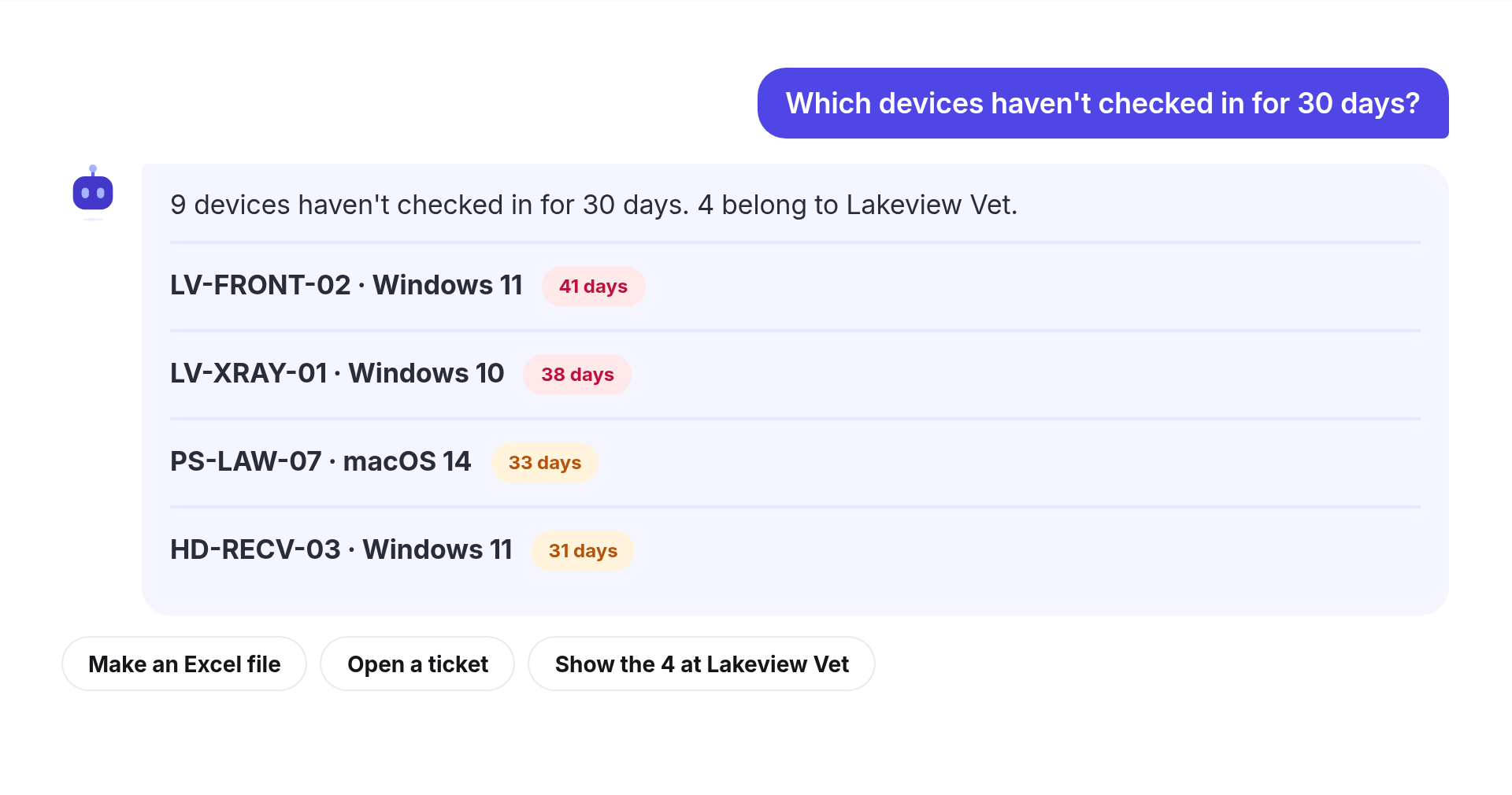
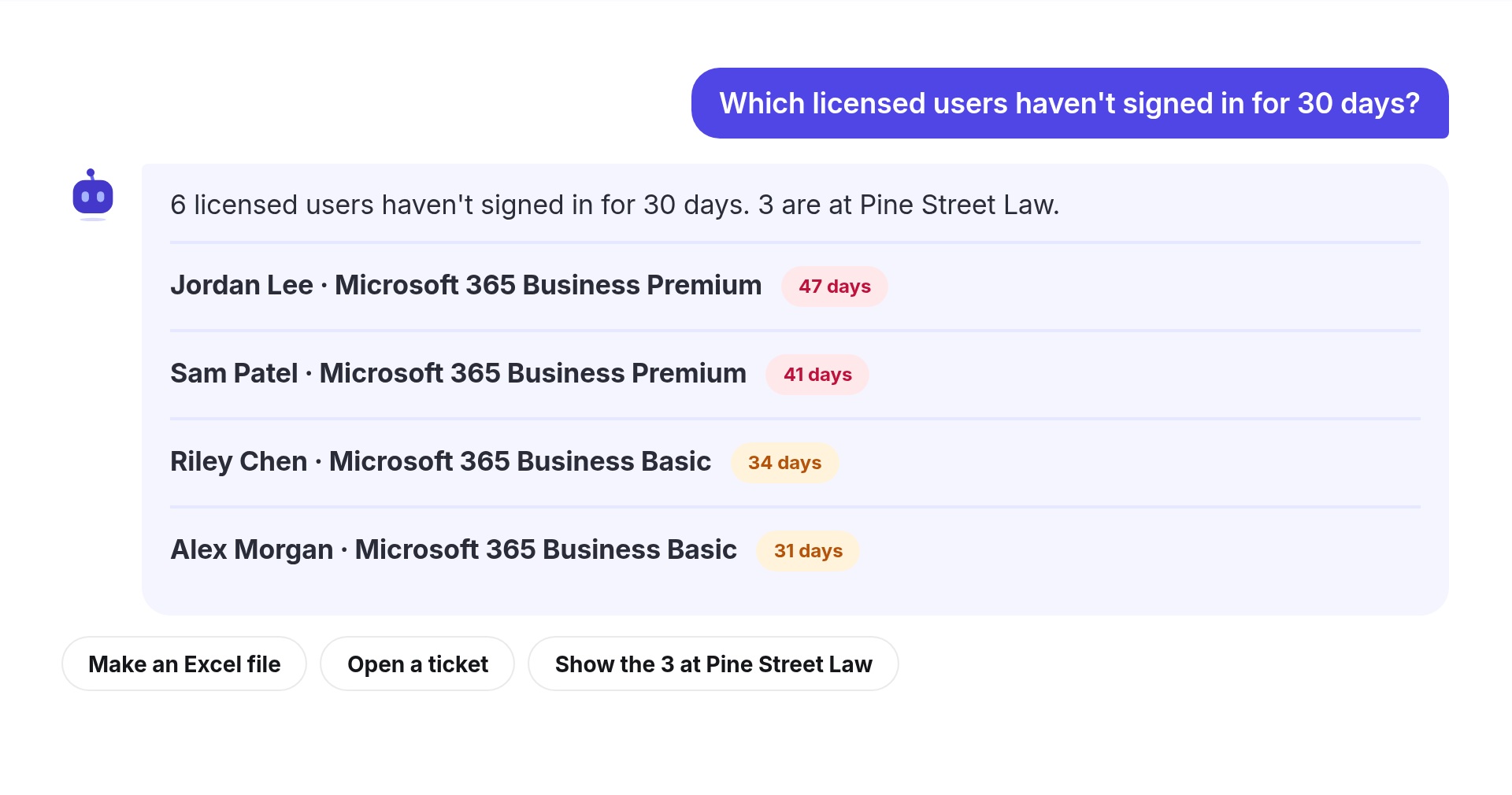
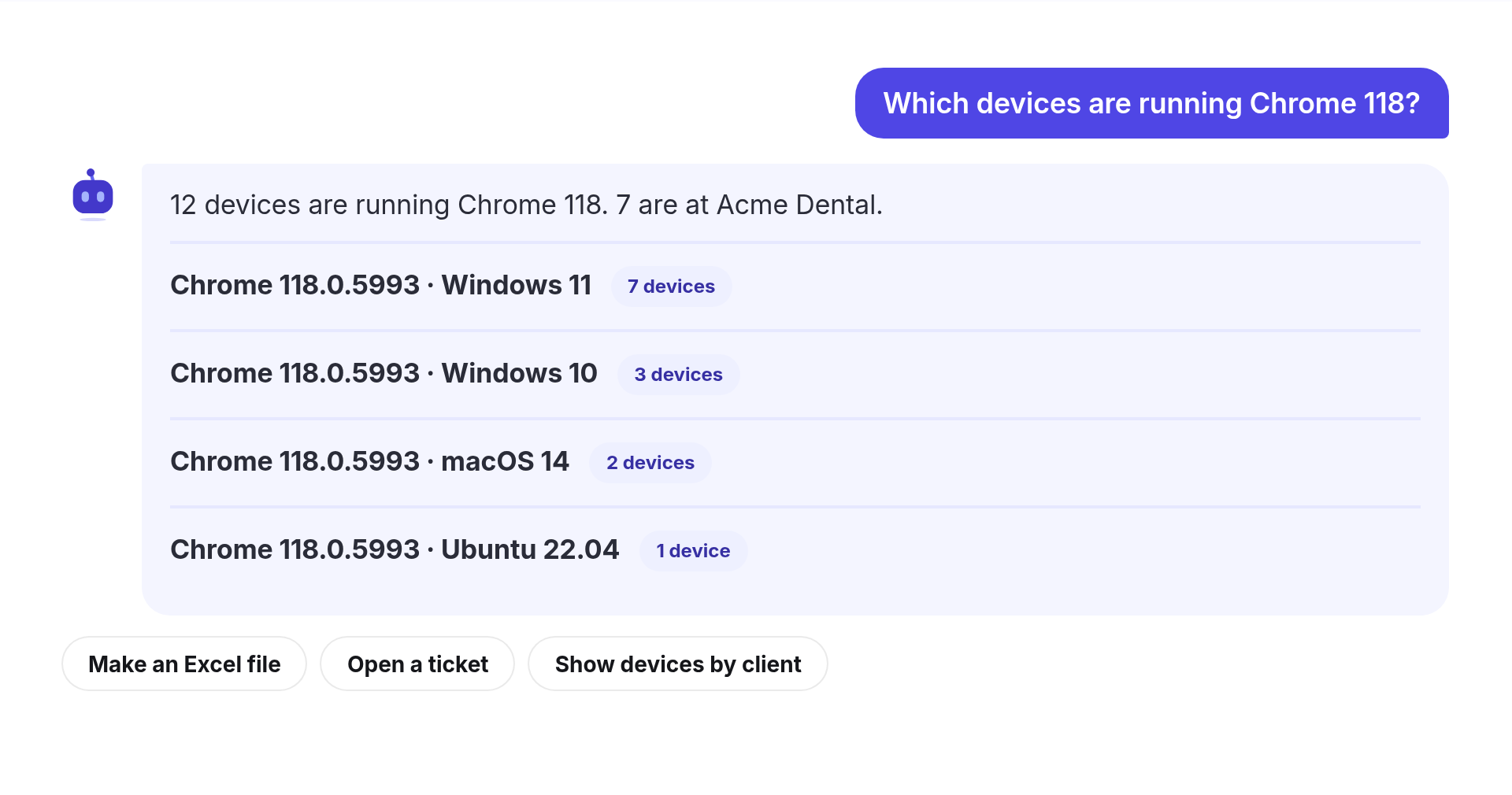
Say “make an Excel file of these” and Atlas builds it: PDF, Excel or CSV, with your branding on it, ready to hand to the client.

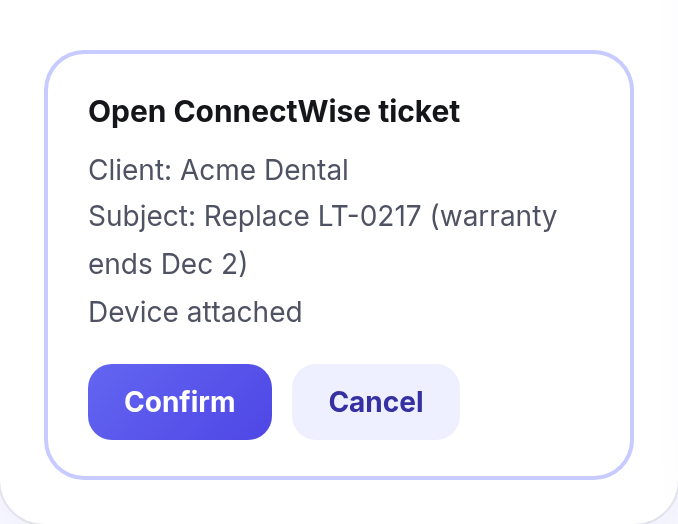
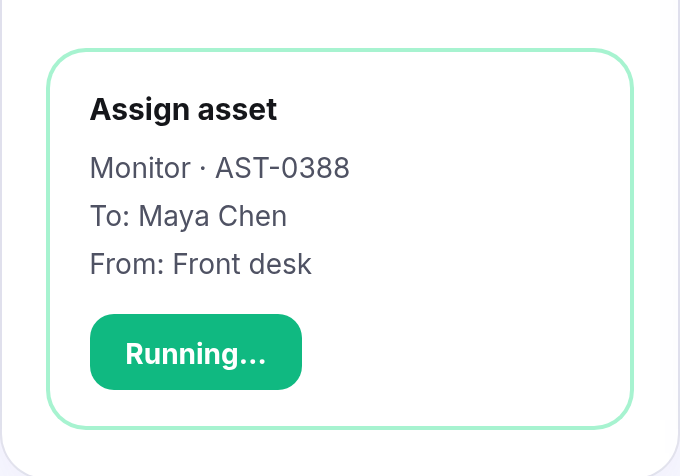
Atlas can do the follow-up too. It shows you exactly what it's about to do and waits for your Confirm. Nothing changes until you click.
A ticket, an assignment, a status or a note, with every detail spelled out.
One click to approve, one to cancel. Cards that aren't confirmed expire on their own.
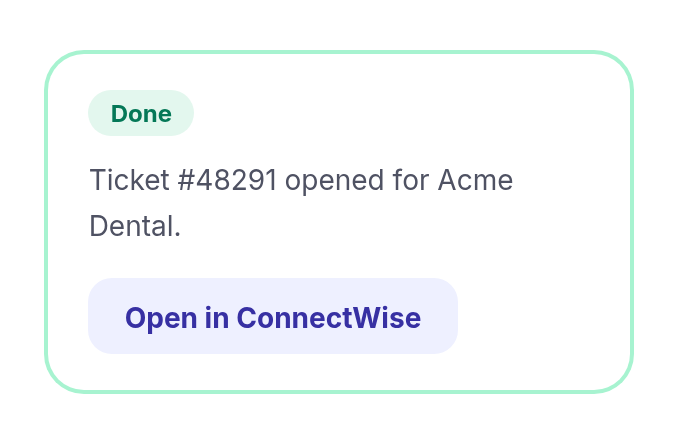
The card links straight to the new ticket or updated record.
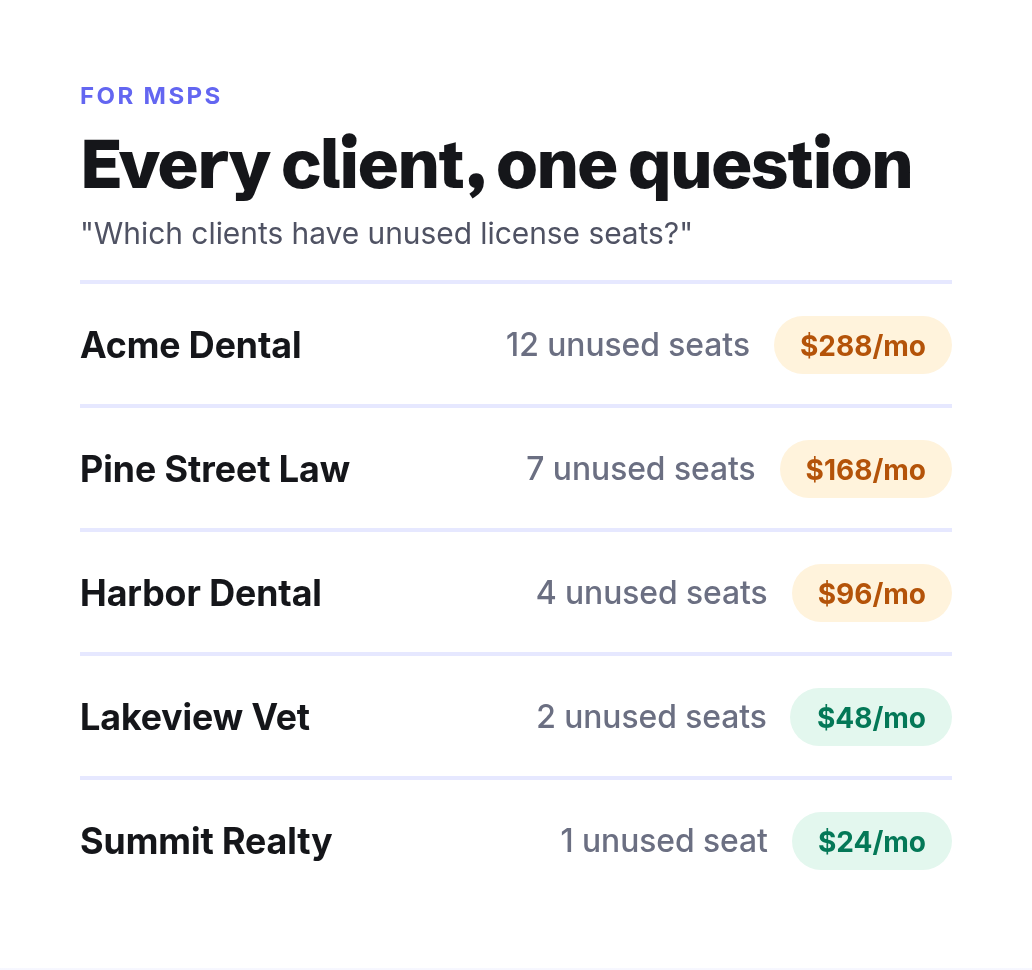
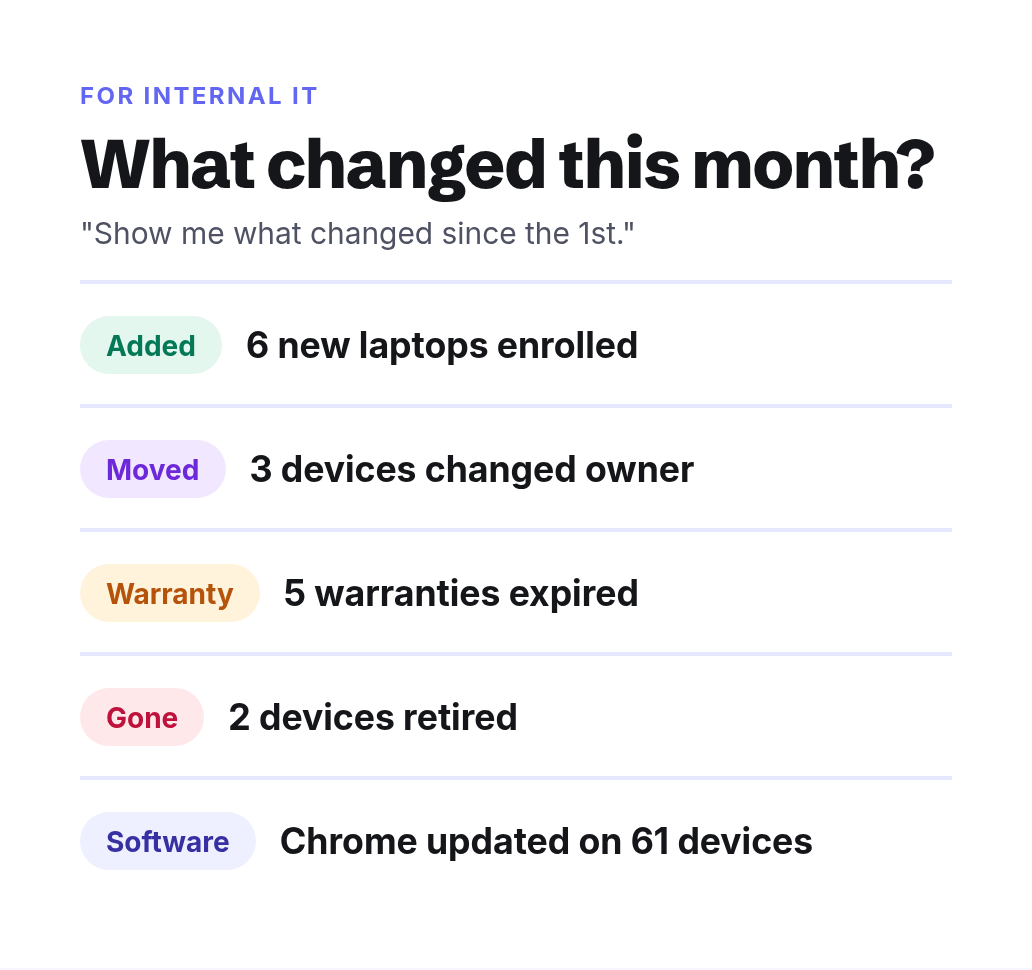
One question across every client you manage, or across your whole company.
Use it inside InventoryOS, in a private Microsoft Teams chat, or from the AI apps you already use.
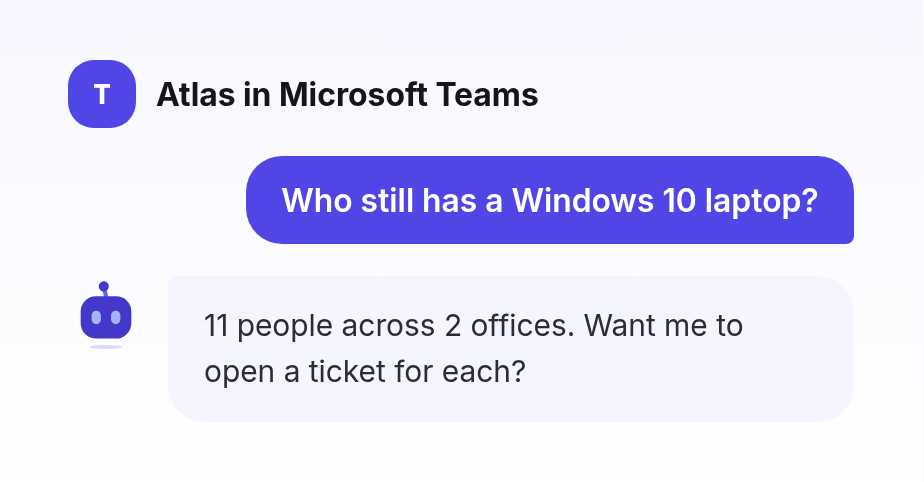
A private chat with Atlas that uses your InventoryOS permissions. Any change still needs your Confirm.

Connect Cursor, Claude Desktop or Claude Code with a personal token. They can read your InventoryOS data, and can't change anything.
Ask about warranties, tap Confirm, watch the ticket land.

Atlas only works with what you're allowed to see, and only acts when you approve.
Answers follow your role and the clients you can access.
Every change waits for Confirm first.
Click through to the device, person or asset behind an answer.
Pick up a question later from your history.
Devices (warranty, last seen, encryption, pending updates, disk space), people in Microsoft 365 or Google Workspace (licenses, MFA, admin roles, sign-in), license seats and renewals, installed software, assets, organizations, and what changed between two dates. MSPs can ask across every client they can access. Each answer links back to the record.
No. Opening a ticket, assigning or unassigning an asset, changing asset status, and adding a note all wait for your Confirm. The card shows pending, running, done, failed, canceled, or expired, and links to the result.
Yes. Use it in a private Microsoft Teams chat with your InventoryOS permissions. Changes there still need Confirm. You can also connect Cursor, Claude Desktop, or Claude Code with a personal token. Those apps can read what you can see, and they cannot change anything.
ConnectWise, Autotask, HaloPSA, and Syncro. Atlas drafts the ticket and waits for your Confirm before it opens.
No. Answers follow your role and the clients you can access. A connected AI app sees only what you can see.